

http://rpgmaker.net/engines/rm2k3/utilities/12/
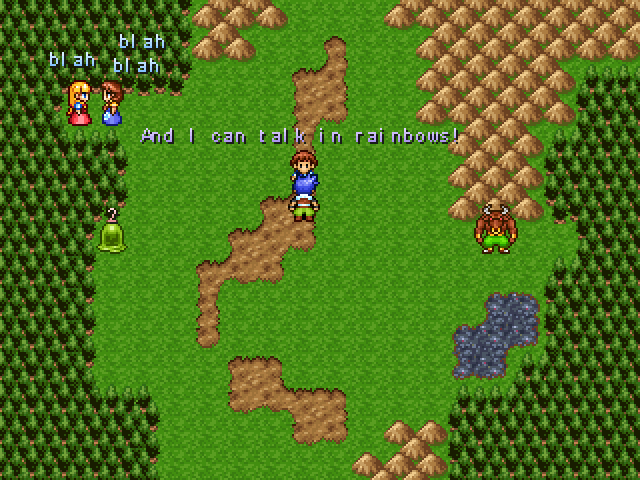
화면에 텍스트를 출력해주는 기능을 지닌 플러그인입니다. DynRPG가 설치된 프로젝트에서만 구동 가능하며, DynPlugins 폴더 안에 해당 플러그인의 dll 파일이 들어 있습니다. 위 링크를 통해 배포페이지에서 해당 플러그인의 데모 파일을 다운로드 받을 수 있습니다. DynRPG에 대한 내용은 "습작의 스크립트 이야기 : 번외편 - 7편 : DynRPG(http://avangs.info/1031048)"를 참고해주세요. 해당 플러그인의 자세한 사용법에 대한 내용은 리드미를 참고하세요.
#. 리드미 내용
================================================ Dynamic Text Plugin for RPG Maker 2003 ver 1.10 For DynRPG version 0.13 or higher By Kazesui ================================================ This plugin allows you to generate text to anywhere on the screen. It gives you instructions to create, edit, move and remove text. You can even adjust the transparency of the text by adjusting the transparency of the associated picture. Installation ------------- To install the plugin, make sure that you have patched your project with cherry's DynRPG patch which can be found here: http://cherrytree.at/dynrpg Then go to the DynPlugins folder in this demonstration project and copy both the "DynTextPlugin.dll" to the DynPlugins folder in your own project. You would possibly want to Copy the content of the "DynRPG.ini" file in the demonstration project folder as well. Instructions ------------- The text in this plugin will be drawn right before a picture with ID of your choice. You can choose which Picture ID needs to be shown for the text to draw in the DynRPG.ini file. Open this in a text editor and you'll see something along the lines of: [DynTextPlugin] PictureID=1 This sets the default picture ID your text images will be associated with. You can however specify in parameters if you want the image to be associated with another picture ID. This is used to mainpulate which layer the texts are shown, like which pictures the texts will be shown above or below. Also, by adjusting the transparency of a picture, all the associated text images will change transparency along with the picture. This allows for easy fading by a single move picture command. !!!!!! But as said above, remember that the picture associated with any text image must be active (i.e. show picture for that id must have been called), for the text images to show! !!!!!! once this is done you can use comment commands in the rpg maker 2003 editor to access the features of the plugin. Examples of this is demonstrated in the demo project. comment commands are used like this: you start by typing the command you wish to use, i.e. @write_text and you then list up parameters to decide the role of the text. An example of a command would be @write_text "myText", 10, 10, "Hello World", 0 notice how myText and Hello World has double quotation around them. This is neccessary for any parameter dealing with actual text. It's also important to seperate parameters with a , (comma). The first parameter in all instructions is the "identifier tag". This tells us which text you want to work on. In the example we created a text piece called "myText". if we later want to remove that text we simply use the same identity when we call @remove_text. notice that the contents of a text can be given as a text, using double quotation, or even as a number, meaning you can use variables as well to decide the content of the text. For example by writing @change_text "myText", V10, 0 we change the text we created up there to contain whatever value is found in variable 10. Change the number into whatever variable you'd like to access instead. The parameters for color is given from 0 to 19, and contains the same colours as given by your system set. This means that this is equivalent to the use of \c[n] where n is a number of your choice. It's possible to use 9 special commands within the text string itself. These are: \x[text identifier] returns image text from the text object with the chosen text identifier \n[number] returns the name of a hero given by the chosen number \N[number] returns the rank of the hero with ID equal to the chosen number \v[number] returns the value stored in variable with ID equal to the chosen number \i[number] returns the name of the Item with same ID as the chosen number \I[number] returns the item description of the item with same ID as the chosen number \t[number] returns the skill name of the item with ID equal to the chosen number \T[number] returns the the skill description of the skill with ID equal to chosen number \a[number] returns the ailment / condition of equal ID as the chosen number It's possible to use these commands within both text identifiers, and text images, allowing you to easily loop through a list items/skills if neccessary. For this purpose, it's also possible to nest commands. This means you can type \i[\v[20]] to get the item name with ID equal to the value of variable 0020. Commands ------------- @write_text parameter#1: identifier tag for the text parameter#2: x coordinate of the text parameter#3: y coordinate of the text parameter#4: text to be shown in the text parameter#5: (optional) "fixed" is typed here if text moves with map parameter#6: (optional) Color to be used on the text parameter#7: (optional) Set picture id to be associated with @append_line parameter#1: identifier tag for text to append to parameter#2: new line of text to append below the first one parameter#3: "end" (i.e. just write anything here) @append_text parameter#1: identifier tag for text to append to parameter#2: text string to append to the text parameter#3: "end" (i.e. just write anything here) @change_text parameter#1: identifier tag for text to change parameter#2: content of new text parameter#3: color to be used in the text @change_position parameter#1: identifier tag for the text to move parameter#2: x coordinate of new position parameter#3: y coordinate of new position @remove_text parameter#1: identifier tag for text to remove parameter#2: "end" (i.e. just write anything here) @remove_all - removes all texts created with the plugin |


갑자기 생각난 스토리에서 이런 기능이 필요했었는데.. 나중에라도 써볼 수 있었음 합니다:)